PureVPN Windows VPN Software13.3.0.5
Publisher Description
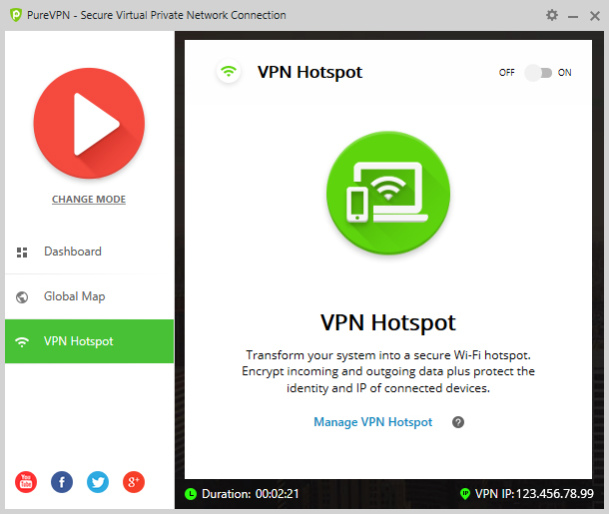
PureVPN has gained a stellar reputation by continuously improving the features provided in its best Windows VPN client and regularly updating it with new innovative features. Backed by a global server footprint of 2000+ servers, access to 300,000+ unique IP addresses and 180+ locations, PureVPN has evolved itself and claimed the #1 spot for the best VPN provider on neutral third-party platforms like Trustpilot.
Why use PureVPN for Windows?
- Secure, Private Surveillance-Free Internet
- New and Improved Support Mechanism
- Multiple VPN Protocols
- Fastest Speeds
- Multi-Languages
- Strongest Encryption
- Automatic Public Wi-Fi Security
Secure, Private Surveillance-Free Internet
PureVPN for Windows secures you from all kinds of online threats. It will detect and block threats, even before they breach your device. And provides you restriction free internet experience.
Multi-Languages
Don't speak English? PureVPNs Windows app supports Chinese, Arabic, Turkish, Spanish and various other languages for your ease of use.
Fastest Speeds
Surf the web at the fastest speeds and enjoy zero buffering. PureVPN guarantees fastest speeds so you have the best streaming experience.
Strongest Encryption
AES 256-bit, military-grade encryption comes as a default with PureVPN to ensure optimal data protection.
Multiple VPN Protocols
Multiple VPN protocols are offered on PureVPNs VPN for Windows, ensuring unparalleled security while you browse the internet.
Split Tunneling
Split tunneling let you channel the traffic of your device so you can carry out VPN and non-VPN activities easily.
Internet Kill Switch
IKS automatically kills your internet connection to protect your real IP and identity when the VPN connection drops.
Automatic Public Wi-Fi Security
With PureVPN by your side, you can stop fearing data surveillance threats and use public Wi-Fi with complete security.
About PureVPN Windows VPN Software
This Encryption Tools program is available in English, Arabic, Chinese, Dutch, French, German, Spanish, Turkish. It was last updated on 29 September, 2026. PureVPN Windows VPN Software is compatible with the following operating systems: Windows.
The company that develops PureVPN Windows VPN Software is GZ Systems Ltd.. The latest version released by its developer is 13.3.0.5. This version was rated by 2 users of our site and has an average rating of 2.8.
The download we have available for PureVPN Windows VPN Software has a file size of 58.7 MB. Just click the green Download button above to start the downloading process. The program is listed on our website since 2024-03-13 and was downloaded 2,854 times. We have already checked if the download link is safe, however for your own protection we recommend that you scan the downloaded software with your antivirus. Your antivirus may detect the PureVPN Windows VPN Software as malware if the download link is broken.
How to install PureVPN Windows VPN Software on your Windows device:
- Click on the Download button on our website. This will start the download from the website of the developer.
- Once the PureVPN Windows VPN Software is downloaded click on it to start the setup process (assuming you are on a desktop computer).
- When the installation is finished you should be able to see and run the program.
Program Details
General
System requirements
Download information
Pricing
Version History
version 13.3.0.5
posted on 2024-03-13
In addition to VPN protection, our dashboard now seamlessly integrates a password manager and data removal feature, safeguarding your online presence like never before!
version 13.2.0.2
posted on 2024-02-15
Minor optimizations on Tracker Blocker.
version 12.0.0.3
posted on 2024-01-18
Added:
Experience an improved interface with our newly launched dark mode in the Windows app!
version 11.18
posted on 2023-11-13
We launched a new feature, "Remove my data", a tool designed to empower you by identifying data brokers that have access to your personal information. With your consent, it proactively takes steps to retrieve and delete your data stored with these brokers by sending out data deletion requests.
version 11.13
posted on 2023-09-11
In response to user feedback and evolving regulatory requirements, we have added a new purpose in our walkthrough journey for Restricted Countries.
In this release, we've implemented an improvement to enhance user experience: the visibility of Dedicated IP upon re-login.
Minor bugs and fixes.
version 11.11.1.0
posted on 2023-07-18
Minor bugs and fixes.
version 11.9.0.3
posted on 2023-06-02
Enhanced onboarding experience empowers users with a comprehensive step-by-step guide to maximize platform functionalities from the start
The dashboard now has a consistent display of the dedicated IP across all states
Added the ability to revisit the onboarding process again through our support
version 11.8.0.3
posted on 2023-05-17
New Multi Login add-on for logging in to multiple VPN accounts simultaneously
Ability to purchase Family Plan from the Discover More section
New filter for virtual locations in the Location screen
Dedicated IP users can now seamlessly reconnect with their prior session after a single connection
version 11.6.0.3
posted on 2023-03-09
Enabled deeplinking to simplify troubleshooting
Updated shortcut version includes a change server which improves efficiency
Improved the portforwarding journey for a smoother experience
Our latest system installation update corrects a previously encountered issue, ensuring a smoother integration
version 11.4
posted on 2023-02-01
Enhanced user experience when encountering content issues to provide a smoother journey towards desired outcomes
Ability to get localized add-on details for your desired language
Additional functions for purchasing events allowing you to access a more comprehensive selection of options
Bug fixes
